Verified, unscanned, missing, mismatched
Four states, shown per image and summed per family. A mismatch is loud on purpose: it means the bytes on disk stopped agreeing with the hash the project published.
 Harvest Boot
← Jacob McKenzie’s portfolio
Harvest Boot
← Jacob McKenzie’s portfolio
A folder of ISOs rots quietly: versions fall behind, downloads half-finish, and the USB stick in the drawer holds last year’s installer. Harvest Boot watches the upstreams, verifies what it fetches, syncs the drive from a profile you can review, and boots any image in a VM before you trust it.
Python · Flask · SQLite · QEMU · Ventoy · noVNC · rootless Podman
A scan walks the library root and records every image it finds: version, variant, architecture, size, and what its checksum says. Families collapse into one card, so a shelf of thirty distributions reads as thirty lines rather than three hundred files — and the card carries the counts you actually care about, including the ones that are missing from disk or no longer match their published hash.
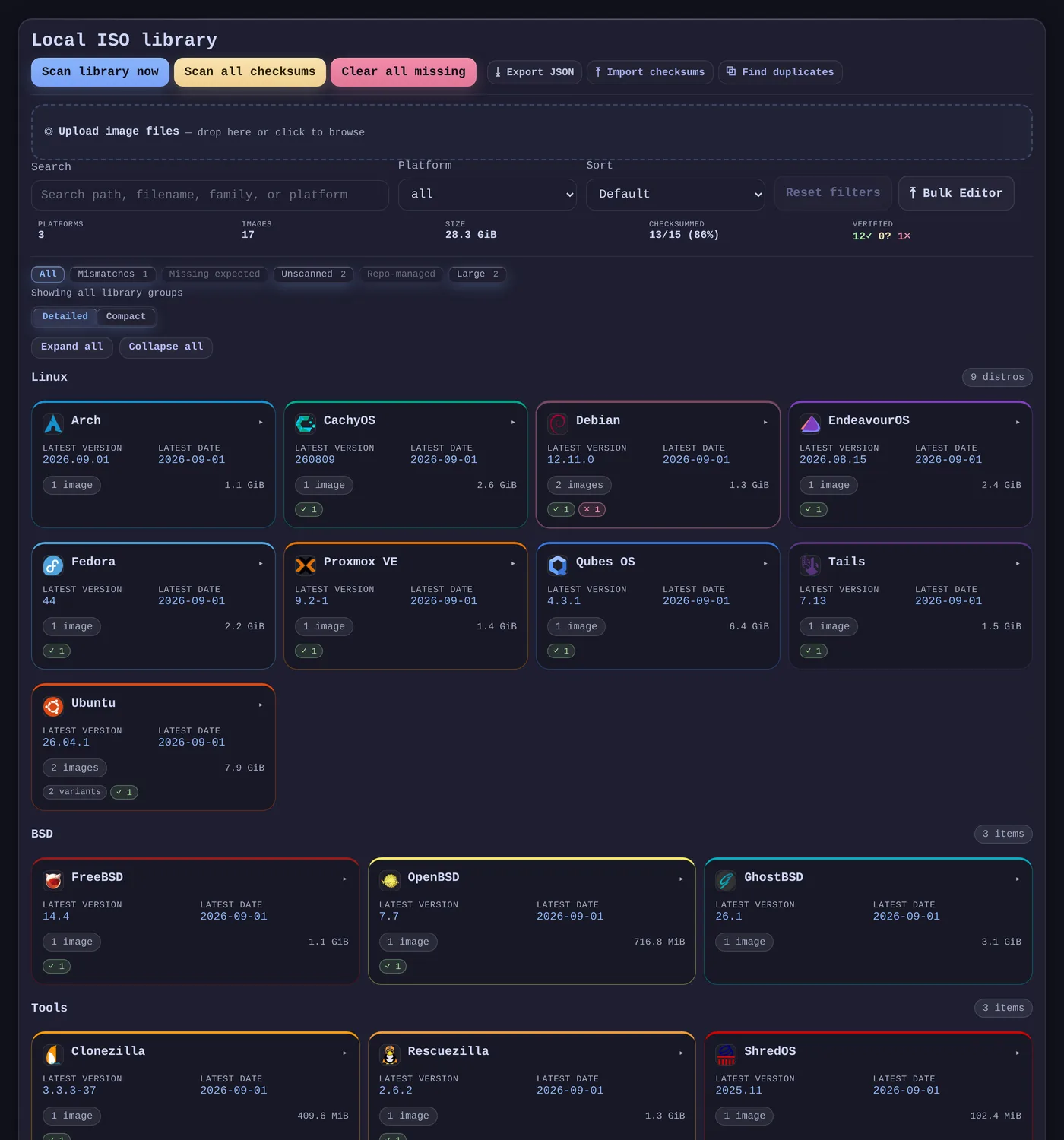
Four states, shown per image and summed per family. A mismatch is loud on purpose: it means the bytes on disk stopped agreeing with the hash the project published.
Version, variant, architecture, release date and product key are editable in bulk, because filename conventions never survive contact with a real collection.
Finds images that exist twice under different names, and entries whose file has gone, so the library and the disk can be reconciled deliberately.
Each source knows how to find the current release for one distribution: where the mirror is, which file is the image, and where the checksum lives. A scheduled check asks all of them and records what it finds, so “is there a newer Debian?” stops being a browser tab.
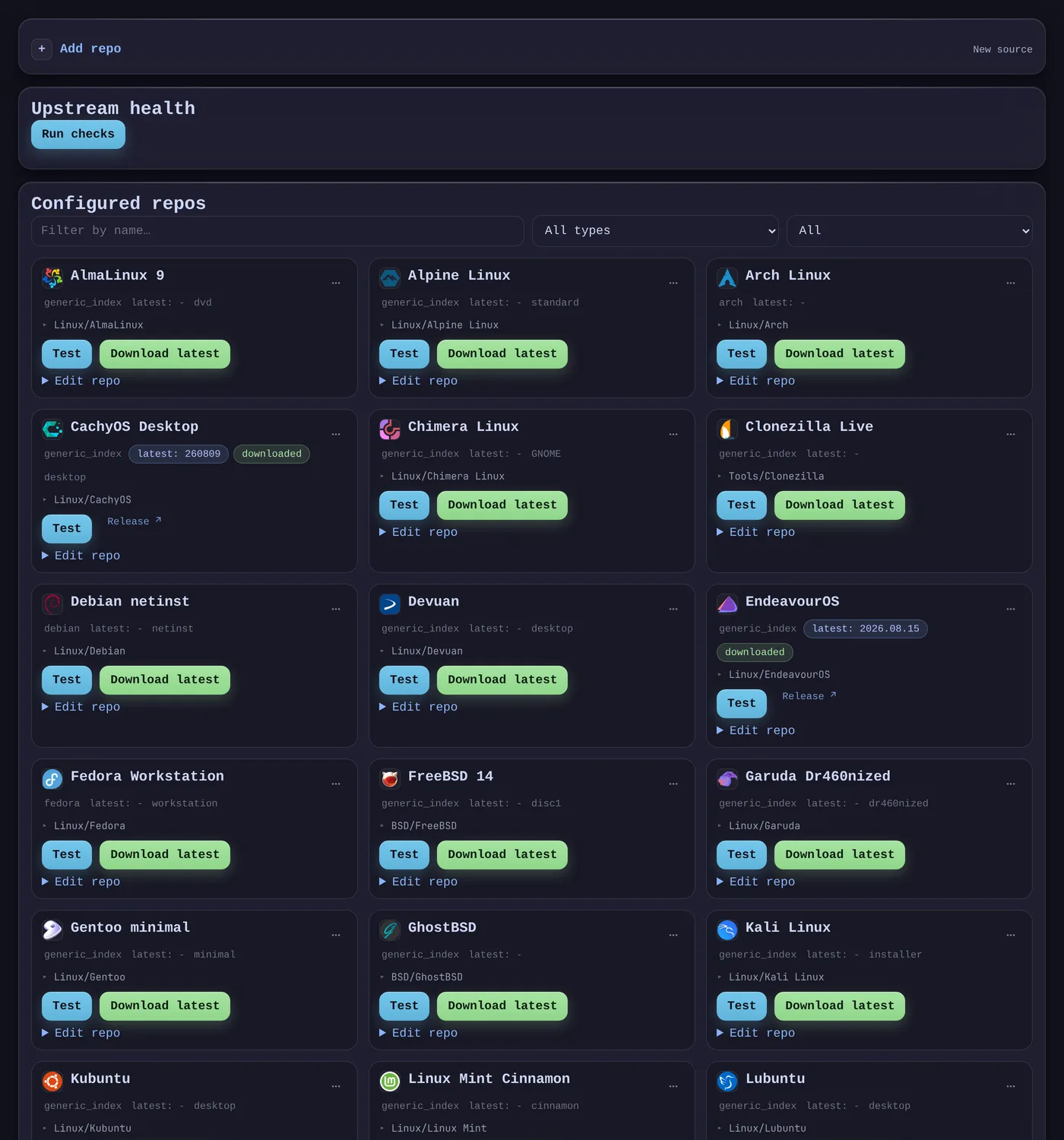
The common case: read the directory listing, pick the image by pattern, read the checksum file beside it. Ubuntu, Debian, Arch, Fedora, openSUSE and twenty others.
CachyOS publishes /ISO/desktop/260809/ and Tails a folder per version. The resolver picks the newest directory first, then the image inside it.
Rescue images often ship only as release assets. The resolver takes the latest release, picks the asset by pattern, and reads a checksum asset when the project publishes one.
Ordering is by the date in the filename, not alphabetical. EndeavourOS names its images after codenames and spells its own prefix two different ways — sorted as text, the newest image is a 2023 one.
 AlmaLinux 9
 Alpine Linux
 Arch Linux
 CachyOS Desktop
 Chimera Linux
 Debian netinst
 Devuan
 EndeavourOS
 Fedora Workstation
 Garuda Dr460nized
 Gentoo minimal
 Kali Linux
 Kubuntu
 Linux Mint Cinnamon
 Lubuntu
 openSUSE Leap
 openSUSE Tumbleweed DVD
 Proxmox VE
 Qubes OS
 Rocky Linux 9
 SteamOS Recovery
 Tails
Tails Ubuntu Desktop
 Void Linux
 Xubuntu
 FreeBSD 14
 GhostBSD
 NetBSD 10
 OpenBSD 7
 Clonezilla Live
 Rescuezilla
 ShredOS
Queue a release and a worker fetches it into the right folder, then hashes it and compares against the checksum the project published. A download that does not match is a failure, not a file you discover is bad six months later when a machine will not boot.
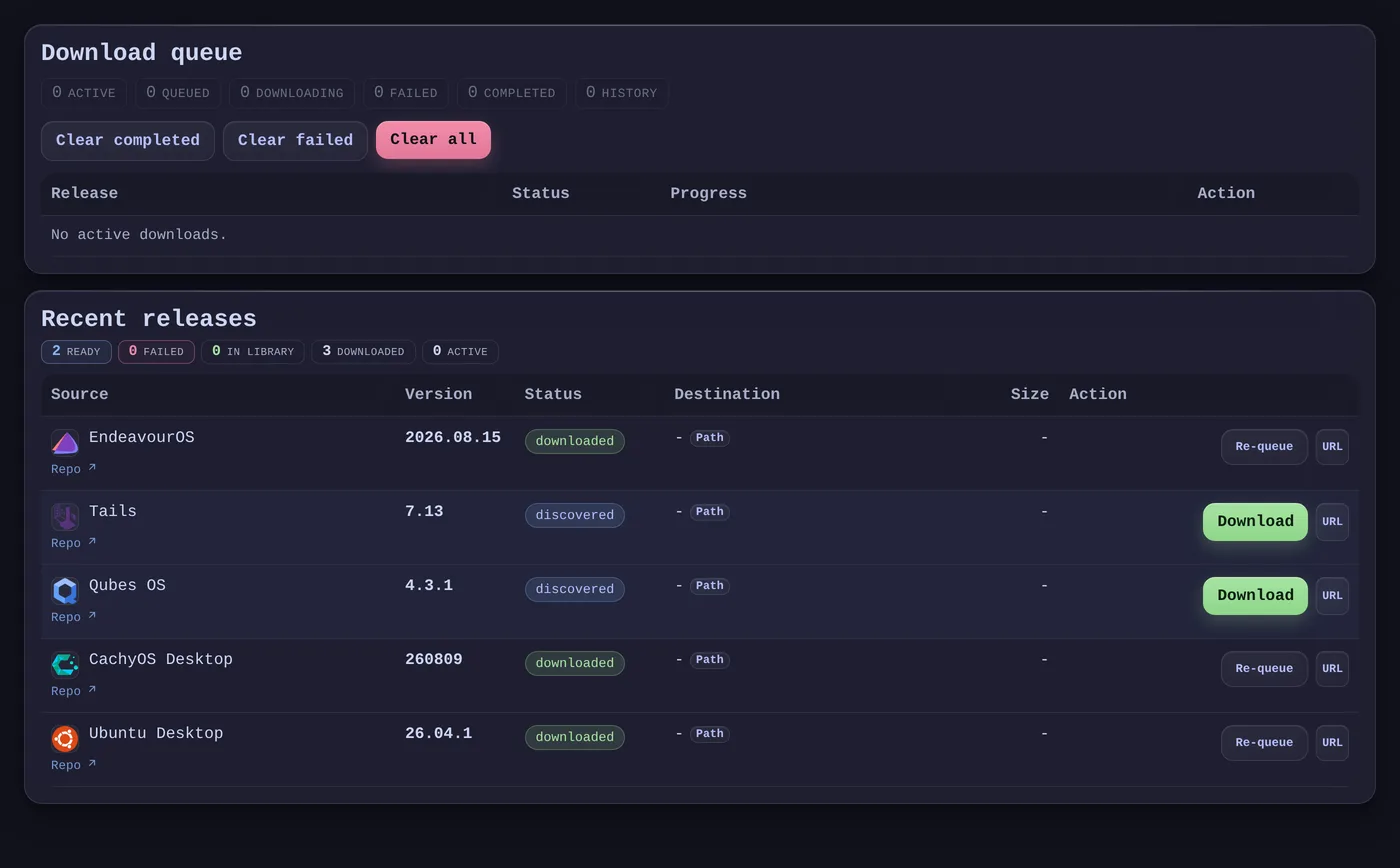
A profile is a named selection of images with a layout and a target drive. Sync previews the exact adds, updates and removals first, and every file it writes is recorded in a manifest — so the drive can be pruned later without guessing which files the app put there and which you did.
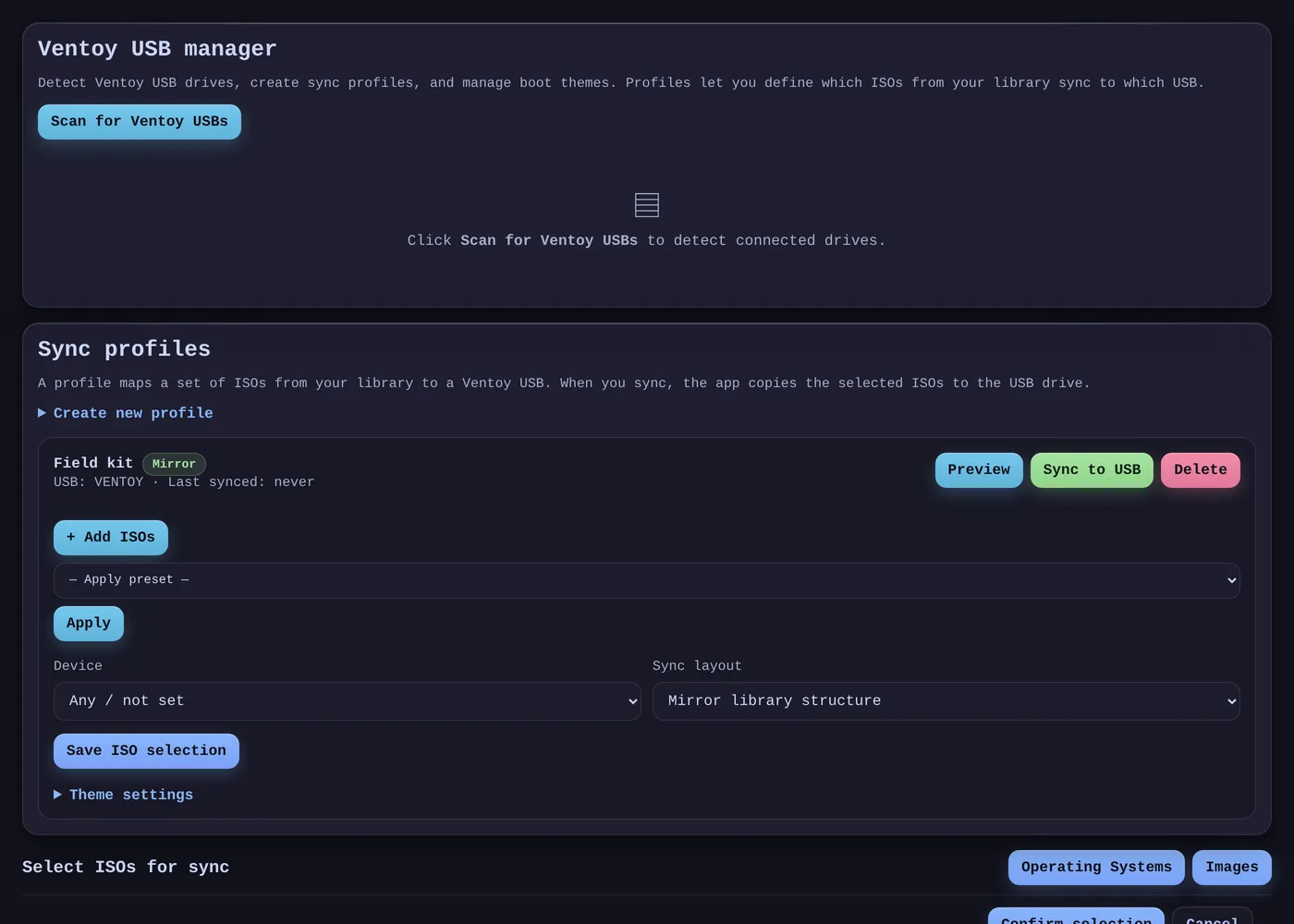
Eleven built-in selections — latest of everything, rescue tools, Windows current, Raspberry Pi, minimal — as a starting point rather than a hand-picked list.
The preview is the same code path as the sync, so what it lists is what will happen.
Per-profile Ventoy theme and wallpaper, written alongside the images.
Any image in the library launches as a QEMU virtual machine with KVM, BIOS or UEFI firmware, and a console you drive from the browser over noVNC. The stick itself can be booted too: the physical drive is attached read-only, through a snapshot, so a test cannot write to the media you are about to rely on.
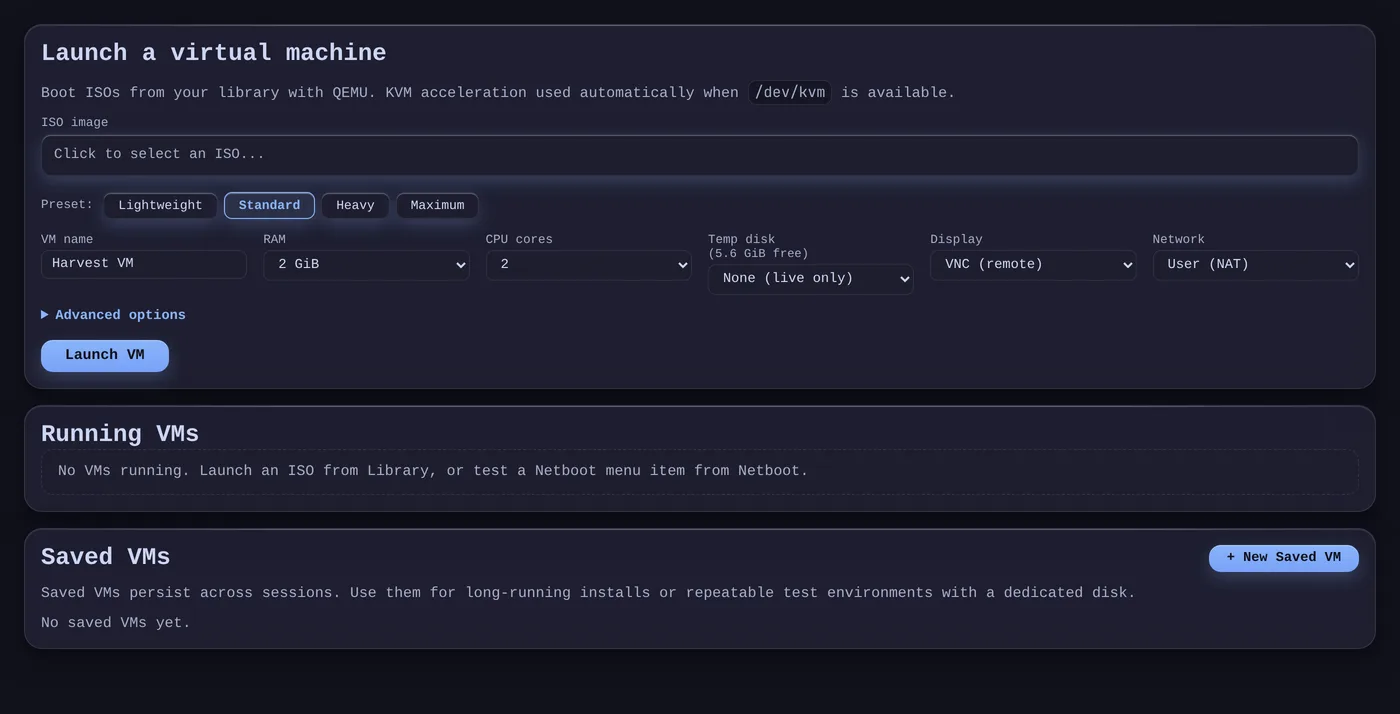
The emulator is chosen from the image’s architecture, so an aarch64 image boots under qemu-system-aarch64 rather than failing confusingly on x86.
The library doubles as a netboot menu: entries are exported as iPXE scripts a machine can chain-load, so a bare machine on the LAN can install from the same images the drawer stick carries. Any entry can be tried first in a throwaway VM that netboots it, so a broken recipe fails on screen rather than on real hardware.
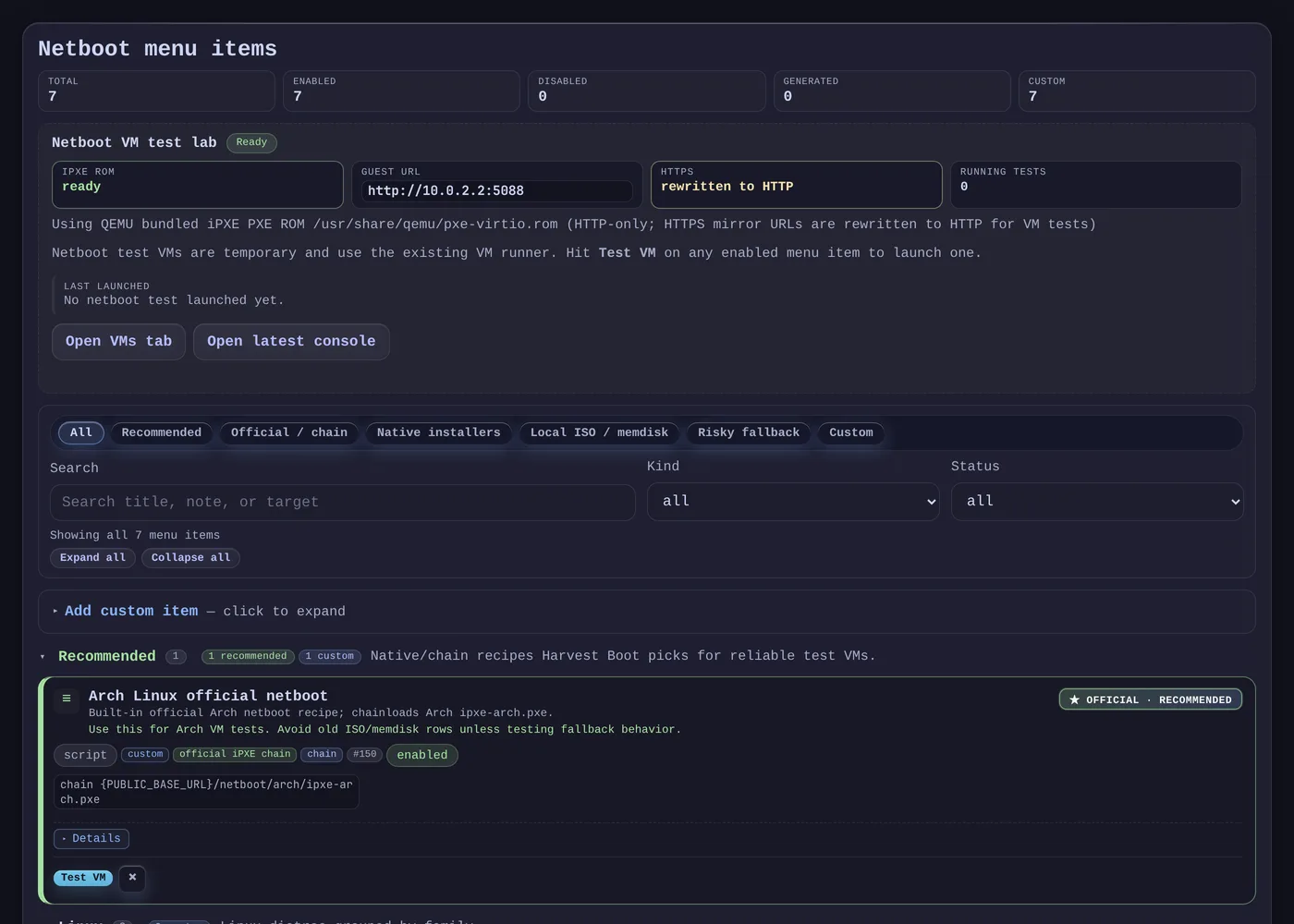
A booting machine has no browser session, so those two endpoints answer without a login — on the LAN only. Reached through the public address they redirect to sign-in, because otherwise they enumerate the whole library and the internal address with it.
A sample-data recreation of Harvest Boot’s library view. Filter by platform or checksum state, expand a family, and inspect its images. Scans, uploads and edits belong to the installed app and are not wired up here.
No library entries match the current filters.
It runs as a rootless Podman container on a home server: the image carries the dependencies, the checkout is mounted read-only, and a deploy is a pull and a restart. Sign-in is OIDC against a self-hosted Authentik; the public address is a Cloudflare tunnel to a local reverse proxy. State is one SQLite file and the image folder — both plain enough to back up and to walk away from.
| Opening | Why it exists |
|---|---|
| KVM device | Boot tests run at native speed instead of emulating a CPU. |
| Live device tree | A USB stick plugged in after the container started still appears, which is what booting the physical drive requires. |
| Removable mounts | Ventoy sync writes to the drive where the desktop mounted it. |
| Host networking | Each VM console gets its own port, and netboot guests reach the app through the emulator’s gateway. |
| One display socket | “Open in native viewer” draws on the desktop. Only that socket is passed in, never the rest of the session. |
Nine popular distributions have no source in the catalogue, because there is nothing dependable to point at. They are listed in the code with the reason rather than quietly omitted, so the gap reads as a decision.
| Distribution | Why there is no source |
|---|---|
| Pop!_OS | The image host answers 403 to anything that is not a browser. |
| Manjaro | Downloads go through a redirect page; there is no index to walk. |
| Zorin OS | Per-release CDN links, with no listing to discover them from. |
| elementary OS | The download is a form submission behind a pay-what-you-want page. |
| Nobara | The download host did not resolve when the catalogue was built. |
| Bazzite | Ships as container images; the release carries no ISO to fetch. |
| NixOS | The channel URL redirects to a build, with no index behind it. |
| MX Linux | The published mirror path lists no images. |
| Raspberry Pi OS | Compressed card images rather than ISOs, which this app does not track. |
NetBSD resolves without a checksum on purpose: it publishes SHA-512, and the download path records every checksum as SHA-256, so storing it would guarantee a false mismatch. Multi-algorithm support is its own piece of work, not a line of configuration.