A library you can maintain
Scan existing images, organise metadata, verify checksums, and track upstream releases with scheduled checks and queued downloads.
 Harvest Boot← Jacob McKenzie’s portfolio
I built Harvest Boot to turn a folder of operating system images into a working toolkit: track releases, verify downloads, prepare Ventoy USB drives, and test images in a browser.
Python · Flask · SQLite · Ventoy · QEMU · noVNC
Scan existing images, organise metadata, verify checksums, and track upstream releases with scheduled checks and queued downloads.
Choose images through named profiles and presets. Preview sync changes and use a manifest to track what belongs on each Ventoy drive.
Launch QEMU with BIOS or UEFI firmware, use an in-browser noVNC console, save VM configurations, and export iPXE menus.
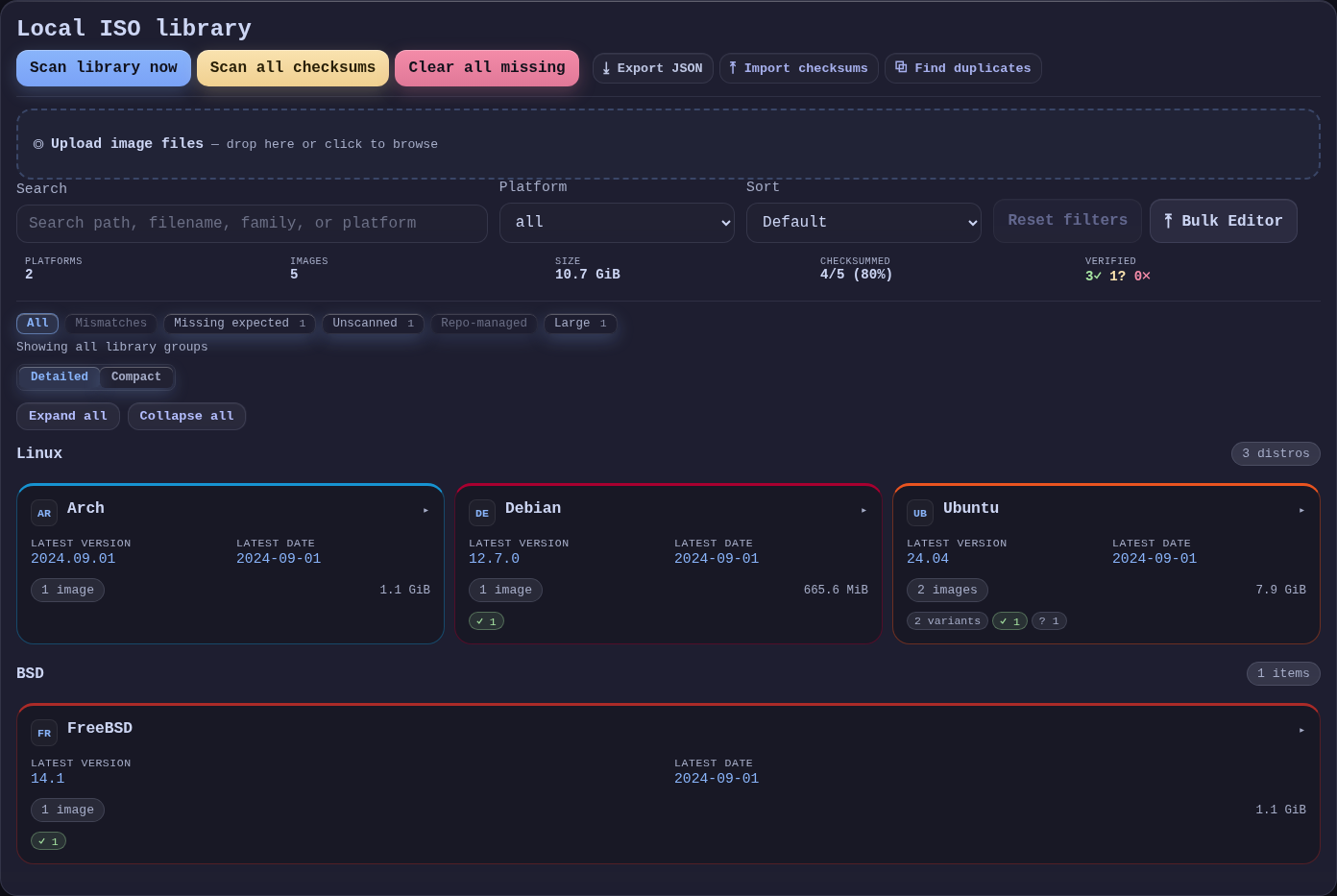
A sample-data recreation of Harvest Boot’s Library view. Filter by platform or checksum state, expand an OS family, and inspect its images. Library scans, uploads, and edits require the installed app and are unavailable here.
No library entries match the current filters.