The compositor configuration, the Quickshell bars, the rofi launcher, the notification daemon, the session manager and the helper programs behind them, exported from the repository that runs one machine, with machine-identifying content removed by an allowlist.
The desktop surfaces are Quickshell: one process, QML, drawing Wayland layer surfaces. There is no bar binary with a configuration file; shell.qml is the root of a QML tree, and module visibility is one shown: expression per module, evaluated against the monitor that instance of the bar is on. Modules whose data comes from the network or a subprocess render the cached value and fork a refresh behind it.
The walkthrough below redraws the bar in HTML at its real geometry — 40 px bar, 36 px pills, 10 px radius, the same Nerd Font face — and moves a camera over one module at a time while a scripted pointer operates it. The behaviour and the numbers are taken from the published QML; the data is sample data. Click inside the frame to operate it directly.
Loading the bar…
Workspaces.qml · WorkspaceButton.qml
Workspace tabs
Tab colour is assigned by position, not workspace id: the nth tab takes the nth of fourteen Catppuccin accents, and the Rust daemon writes the same sequence into Hyprland’s group bars, so grouped windows match the tab they sit on. The active tab is filled with its accent. Tab contents are composed from Hyprland’s own state — the id, an assigned name if there is one, and one glyph per application class with a ×N count — rather than parsed back out of the workspace name.
A notification from a window on an unfocused workspace lights a 3 px bar along the top of its tab in the tab’s accent, pulsing at 4.5 s for low urgency, 2.6 s for normal and 0.9 s for critical.
Hover
Window titles on the workspace, plus any agent sessions and their states
Click
Switch to it
Right-click
Rename in place: the tab becomes a text input. Enter commits, Escape cancels
Drag
The outer quarter of a tab inserts, the middle half swaps; dropping on another output’s strip moves the workspace there. Window contents move; ids and accents stay with the position
Wheel
Cycle this output’s workspaces
A layer surface receives no keyboard input unless it requests it, and the bar requests exclusive focus only while a tab is being renamed. If the input never takes focus, a 2 s watchdog cancels the edit: exclusive focus with a non-functioning Escape would leave the session with no keyboard at all.
AgentBadge.qml
Agent marks
A terminal coding agent running on a workspace adds a mark to that workspace’s tab: the agent is identified by glyph, its state by colour and motion. There is one mark per session, so several sessions on one workspace stay individually readable. Claude Code’s mark is an asterisk and rotates, matching its own status line; the other marks translate vertically instead, since rotation only reads as motion on a radially symmetric glyph.
WorkingPeach, in motion: mid-turn, or a tool call is running
InputGreen, pulsing: the turn has ended and the session is waiting for input
ChoiceRed, blinking: an unanswered permission prompt
IdleDimmed and static: the session exists with nothing pending
Hover
The tab tooltip names each agent and its state
Active tab
The mark takes the label colour instead of its state hue, which would read as a stain on a filled pill; the motion still carries the state
Animating a mark repaints the whole bar surface, and the bar is always mapped. Smooth 60 fps marks measured around 10% of one core with six idle agents, so rotation and translation are stepped at 8 fps, the blink is two property writes per second, and idle pulses are driven by a shared 9 s beat rather than free-running. Measured after the change: about 1%.
DevPill.qml · DevRow.qml · DevRowState.qml
The DEV strip
<DEV> N labels a second strip of workspaces below the main bar, used for long-running work. Hovering floats the strip over the windows and reserves no space; focusing a DEV workspace docks it, reserving 40 px so windows tile below it; clicking pins it docked. A fullscreen window overrides all three states.
Strip tabs are bound to F1…F12by position, so a new DEV workspace is appended rather than inserted into a gap: inserting would renumber every key above it.
Hover
Float the strip; leaving starts a 120 ms delay that covers pointer travel
Click
Pin or unpin; pinned implies docked
Wheel
Cycle the DEV workspaces
+ on the strip
Append a DEV workspace; middle-click moves the focused window to a new one
The strip is an overlay-layer surface anchored to the right corner rather than spanning the top edge, so an exclusive zone on the left cannot displace it. wlr-layer-shell grants an exclusive zone only to surfaces that span an edge, so the main bar reserves the strip’s band on its behalf.
The right half of the DEV group counts running agent sessions and displays the highest-priority state among them, so a session blocked on a permission prompt is visible without opening anything. Hovering opens a panel listing each session in its workspace’s accent with a context-window gauge, per-agent quota meters, the models currently loaded in Ollama with a stop control each, and session launchers.
The meters are twenty Braille cells with eight fill levels each, giving 160 steps in a single line of text. The values come from a cache with no live fallback, so when the cache is stale the heading changes from USED to STALE with the age of the data.
Hover
Open the panel; leaving starts a 200 ms delay that covers pointer travel into it
Click
Pin the panel as a column beside the DEV workspaces
Right-click
Start a new Claude Code session
A row
Focus that session’s workspace
Pinned, it is the same component in a different frame: a layer surface with its own exclusive zone, so windows tile beside it rather than under it. It is mapped only while a DEV workspace is focused, since the sessions it lists live there.
KillswitchModule.qml · AiKill.qml
The killswitch
One control suspends every local agent process and stops Ollama. Sessions are sent SIGSTOP rather than terminated, so releasing resumes them with their conversation state intact; new sessions are blocked while it is engaged.
Engaging requires two presses: the first arms it, drawn as an amber track with the knob centred, and the second within ten seconds engages it. Releasing takes a single press.
Click
Arm, then engage; or release
Hover
The number of sessions that would be suspended, including the current one
The arming window is ten seconds rather than three: three frequently expired between the two presses, which is indistinguishable from an unresponsive control.
UpdatesModule.qml · bin/update-panel.py
Updates, and the news
The module prints the cached counts and, if the cache is stale, forks a rescan and returns the cached numbers anyway. checkupdates and yay -Qua both use the network and take seconds; blocking on them would stall the bar’s draw path.
Pending packages are cross-referenced against recent Arch news. A package named in a news item is the one likely to need manual intervention, so the module reports it before the upgrade rather than after it.
Hover
Counts, the newest headline, and any pending package the news names
Click
Open the panel: news first, flagged packages at the top of the list
Right-click
Rescan immediately
Sapphire when updates are pending, red when news is unread or names a pending package, grey when there is nothing to install.
Volume and three output toggles share one pill, separated by 1 px seams. The percentage is coloured by the highest threshold at or below the current level: maroon below 30, peach, yellow from 49, green from 60, teal from 80, sky at 99 and sapphire above 100.
The toggles switch the default sink between a DAC, an audio interface and a Bluetooth speaker. The active sink takes its own colour, a device that is not present drops to 35% opacity, and the speaker shows its battery level when it reports one.
Wheel
±5%
Click
Mute; on a toggle, set that sink as the default
Right-click
pavucontrol in the scratchpad; on the speaker, disconnect it
The microphone and a per-application Discord volume form the same kind of group on another output’s bar.
The colour temperature and mouse battery modules display only their glyphs; the reading expands from behind them on hover. The glyph stays in place and the pill grows to the right, so the pointer target does not move as it opens. While charging, the battery glyph fills from its current level to full and repeats, stepped at three frames per second.
The lock module locks on click. On hover its bottom corners square off and it extends downward into a drawer containing power off and restart, both of which arm before firing.
Nightlight
Wheel ±100 K through wl-gammarelay · click toggles warm · right-click enables the sun-following mode · middle resets
Mouse
Hover for the charge percentage
Lock
Click locks · hover opens the drawer · each drawer row requires a second press
The lock is in the corner of the screen that gets clicked without looking, so a drawer opening on the way there could place power off under an unrelated click. Both rows therefore require a second press within ten seconds, the same window the killswitch uses.
TrayModule.qml · TrayMenu.qml
Tray menus rendered in QML
StatusNotifier items are held in a fixed order, since D-Bus arrival order varies between boots. Their menus are rendered in QML from each item’s exported menu model rather than handed to QtWidgets, whose Fusion menus arrive with square corners, system grey and a different font.
Submenus load the same QML file again: a component cannot instantiate itself by name, but it can load itself by file path.
Click
Activate the item
Right-click
Its menu, including checkboxes, radio items and submenus
Click elsewhere
Dismiss it, via a Hyprland focus grab covering the whole menu chain
The grab is requested shortly after the popup maps; requested while the surface is still unmapped it is refused silently, and dismissal never fires. Dropping QtWidgets also removed QApplication from the process, reducing resident memory by roughly 90 MB.
Pill.qml · Theme.qml
Flat and glass materials
All modules share one Pill component. Flat, it is the base colour at 90% opacity. With glass enabled it becomes a stack: a 42% substrate that the compositor blurs, a vertical gradient, a 1 px specular line on the top edge and a darker one on the bottom, a 1 px ring and a drop shadow. Hover applies the same wash to any pill, so individual modules do not implement their own hover state.
IPC
qs ipc call bar toggleGlass; the flag is persisted and can be bound to a key
The blur is Hyprland’s, applied by layer namespace, so the pills blur whatever is actually behind them rather than a captured image.
Bar.qml
One bar per output
Module visibility is one shown: expression per module, evaluated against the monitor name. When a window goes fullscreen on the primary output, that bar hides and the output above takes over its right-hand cluster: one bar changing composition, not a second bar swapped in.
DP-3
DP-2
fullscreen
DP-1
DP-1
Workspaces, DEV group, tray, mouse battery, audio, nightlight, notifications, lock
DP-2
Workspaces, clock, updates, notifications
DP-3
Workspaces, microphone and Discord, clock, notifications — and DP-1’s cluster, in place of the clock, while DP-1 is fullscreen
The DEV group does not move with the cluster: the strip it controls is hidden behind the fullscreen window, so the control would point at an unreachable surface. The walkthrough above draws all three bars’ modules on one screen.
Workspace switching with windows retiling, the DEV strip docking, and the glass toggle, recorded from the published tree in a nested session on a headless output.recorded · 22s · no soundGrouped windows. The group-bar colours are written by the same daemon that drives workspace attention, so a group’s palette matches the bar’s.
Quickshell bars
One panel per output, a Rust daemon supplying the Hyprland state its IPC does not expose, and a fullscreen mode that relocates the right-hand module cluster to another output rather than hiding it.
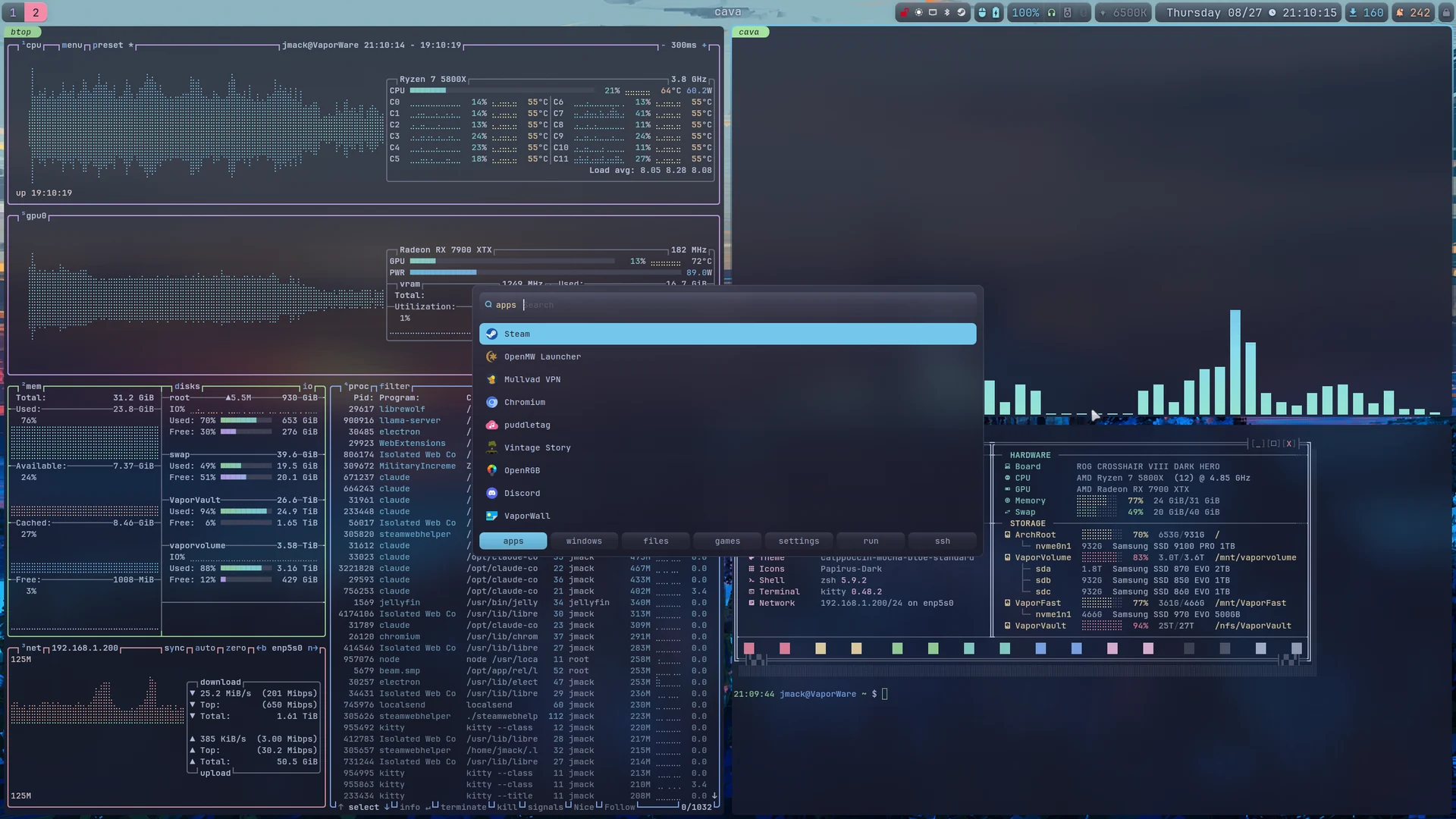
Seven-tab launcher
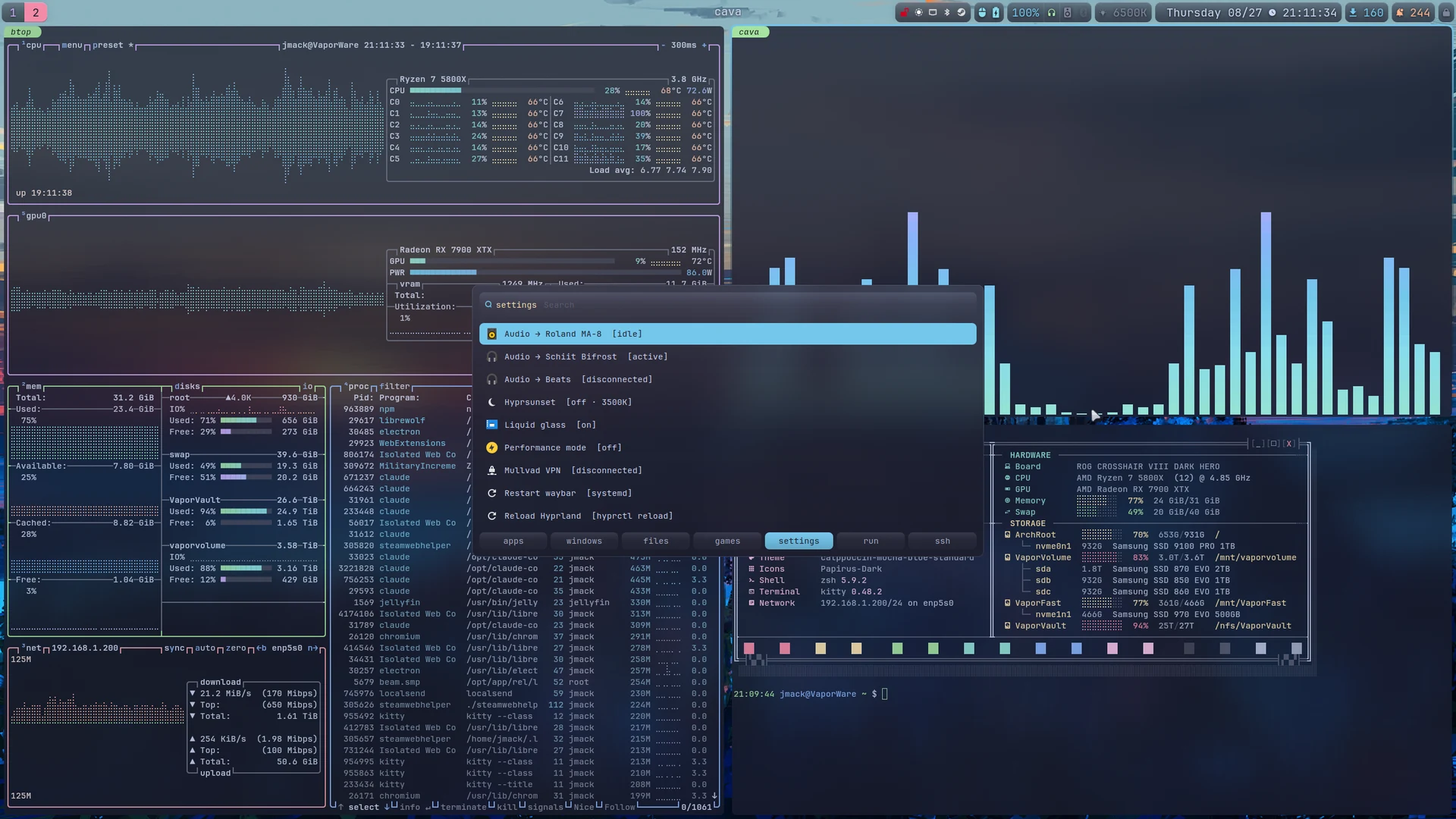
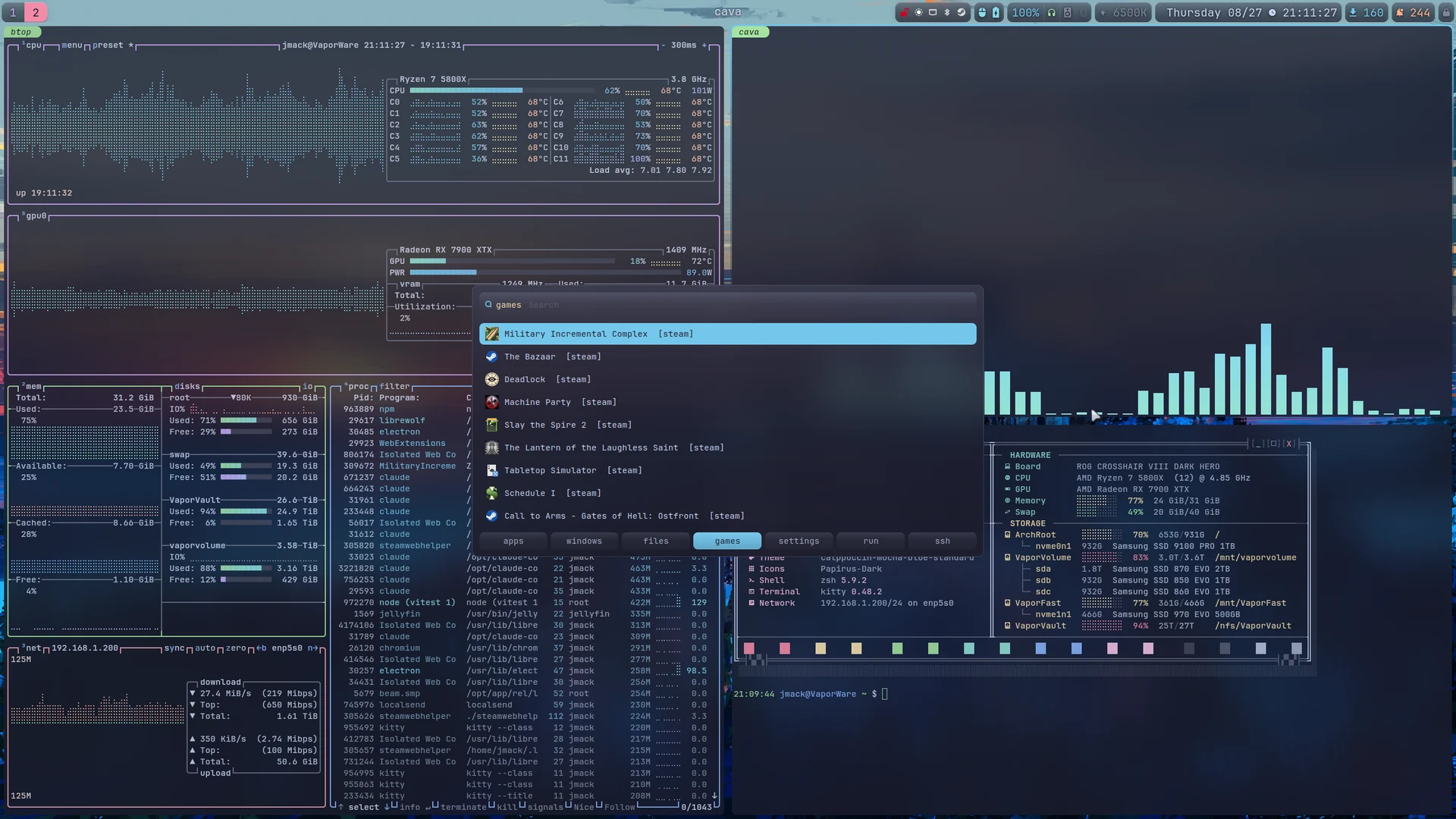
rofi with apps, windows, files, games, settings, run and ssh behind one keybind. The settings tab calls the same helper scripts the bar’s own click handlers call, so the two cannot report different state.
Session restore
Window workspace, geometry, group membership and command line are snapshotted on a timer and at shutdown, then re-laid out at the next login, matched by window address rather than title or PID.
rofi — launcher 2
2 the launcher
Seven rofi processes behind one keybind.
SUPER + D opens the launcher on the apps tab; Tab and Shift + Tab move between apps, windows, files, games, settings, run and ssh. rofi has no per-mode theming, so each tab is a separate rofi process with its own accent, and switching maps the next one before the current one exits. Every tab is a script mode, which is what allows a tab to exit and report which tab to open.
The walkthrough below redraws the card at its .rasi geometry — 680 px, radius 18, the recessed input well, nine fixed rows, 10 pt Nerd Font — and zooms to one part at a time while keycaps show the input being sent. The rows are sample data. Click inside the frame to operate it: select a row, switch tabs, scroll.
Loading the launcher…
config/glass.rasi
The card
The material is taken from Quickshell rather than from the bar: a rofi menu is a large centred card, so the reference is the Super+K keybind overlay — 86% base, a 1 px ring, radius 18, and a gradient with a faint top stop tinted toward the tab accent, a transparent middle and a crust bottom.
The input is recessed rather than raised: it is the only widget darker than the surface it sits on. The selected row uses the active-workspace treatment, a solid accent with base-coloured text.
Up / Down
Move the selection
Escape
Close, as does a click outside the card
The frost comes from the rofi-glass layer rule in hyprland.conf, with the same ignore_alpha as the bar’s, not from the alpha itself. Every widget below the window is transparent so the window alpha is applied once instead of compounding per nested widget.
bin/launcher · bin/launcher-tab
Seven tabs, seven processes
Each tab has an accent, a glyph and a placeholder, passed to its rofi as a -theme-str: the selection fill, the lit tab, the input glyph, the well’s ring and the card’s top gradient stop all take the same colour.
appssapphire
windowsmauve
filespeach
gamesgreen
settingsyellow
runred
sshteal
Tab
Next tab; also Shift+Right and Ctrl+Tab
Shift+Tab
Previous tab
Click a tab
Switch directly to it
Switching starts the next tab’s rofi first and polls hyprctl layers until that pid is listed with a non-zero size and full alpha, plus one further frame, before the current process exits, so the card is never absent from the screen. Each process uses a pid file named for its own pid, because two are mapped during the handover.
bin/builtin apps · bin/dispatch
Prefix matching, and unmatched input
Matching is prefix: each token must begin a word, so stea, disc and chr resolve to single entries. Application entries match on name and generic name only, never on Exec, whose command lines contain unrelated words. The trade-off is substring search: code does not match VSCodium.
Entries are ordered by launch count. Input that matches no row is passed to bin/dispatch on Return, which executes the line if its first word is a command on $PATH and otherwise opens it as a SearXNG query.
Type
Filter by word prefix
Return
Launch the selected row, or dispatch the typed text
Tab lists are cached, keyed on the modification times of their sources, so switching does not re-read hundreds of desktop entries. Launch counts are applied after the cache rather than stored in it.
bin/hypr-windows
Windows
Mapped Hyprland windows, sorted by workspace so the list order matches the workspace strip. Special workspaces have negative ids and therefore sort first.
Return
Focus the window by the address returned in ROFI_INFO
rofi’s built-in window mode uses EWMH over xcb, which is unavailable on Wayland, so it returns an empty list. hyprctl clients provides the same data and includes special workspaces.
bin/files
Files
Thunar sidebar bookmarks first, reused with their labels, then every cd target in the shell history ranked by frequency. Project directories are usually outside $HOME and would not appear in any other rofi mode.
Return
Open it in Thunar
Alt+Return
Open a kitty in that directory
Alt+c
Open it in VSCodium
The key hint is placed at the right end of the input row; as a separate message line it made this tab 20 px taller than the others. Paths on autofs mounts are not stat()ed, since that would trigger the mount and can block on a sleeping server.
bin/games
Games
One list for every installed game: Steam from the app manifests in each library, Lutris from a cached listing, and desktop entries with Categories=Game. Each group is ordered by last-played time. In the apps tab these entries dominated the launch-count ordering.
Return
Launch it through its own launcher
lutris -l -j starts a Python runtime and is too slow to run while the list is being drawn, so it is refreshed in the background at most once a day.
bin/settings
The settings board
Toggles that otherwise live in bar modules or keybinds: audio output, colour temperature, the bar’s glass, performance mode, the VPN, and the session actions. Each row shows its current state, and selecting one redraws the list instead of closing, so several can be changed in one invocation.
Return
Apply it; the row updates in place
Reboot / Power off
Confirmed on a second list
State is not reimplemented here: the audio, nightlight and glass rows call the same helper scripts the bar’s click handlers call. Tab keys are handled before the selected row is read, so switching tabs cannot apply a toggle.
bin/builtin run · bin/builtin ssh
Run and ssh
run lists every executable on $PATH, ranked by this tab’s launch counts and then by the shell history: the first word of each command, and the word following sudo. ssh lists Host entries from ~/.ssh/config plus plain names from known_hosts, most-used first.
Return
run: detached · ssh: in kitty
Alt+Return
run: in kitty with --hold, so output remains after exit
These replace rofi’s built-in run and ssh modes: in rofi 2.0 a custom key inside a built-in mode is a mode switch rather than an exit, so with one mode per process Tab only reloaded the same tab.
config/launcher.rasi
Fixed geometry
680 px wide, with the list reserving nine rows including empty ones rather than shrinking to the match count. No widget in the stack appears or disappears, so switching tabs or typing does not move the card.
Width
680 px, every tab
Rows
9, fixed height
In .rasi, one property per line: the lexer takes a string from the first quote on a line to the last, so two quoted properties on one line parse as a single value.
config/websearch.rasi · config/clipboard.rasi
The websearch and clipboard menus
SUPER + ALT + S is the same card with the list and tab bar removed: a single-line SearXNG prompt that keeps the mauve focus ring, since the input is the entire menu. SUPER + SHIFT + V is the cliphist picker: 800 px, twelve rows, no icons, fuzzy matching, since copied text is recalled in fragments.
Websearch
Return opens the results in a floating browser window, 1400 × 900, centred
Clipboard
Return decodes the entry back onto the clipboard
Floating is applied by window address after the fact: every window of the browser shares one app_id, so a window rule would float all of them. The script records the existing addresses, opens the search, and floats the one that is new.
Recording
The apps tab, over the blurred desktop behind it.
settings: each row shows its current state, and applying one redraws the list instead of closing it.games: Steam manifests from every library, Lutris from a cached listing, plus desktop entries with Categories=Game.
These screenshots predate the per-tab accents; at the time every tab used sapphire.
swaync — notification center 3
3 notifications
Notifications with actions bound to their subject.
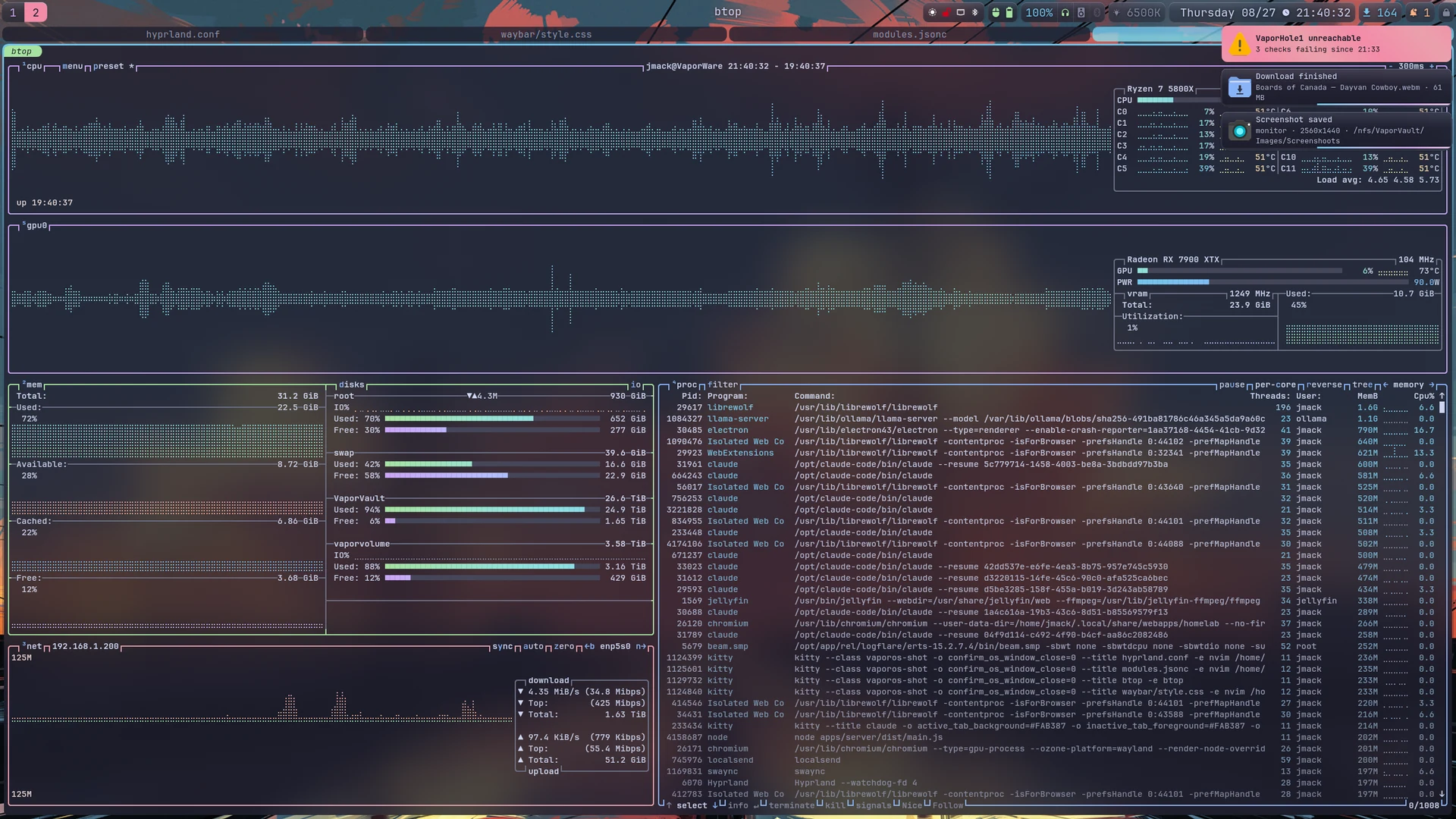
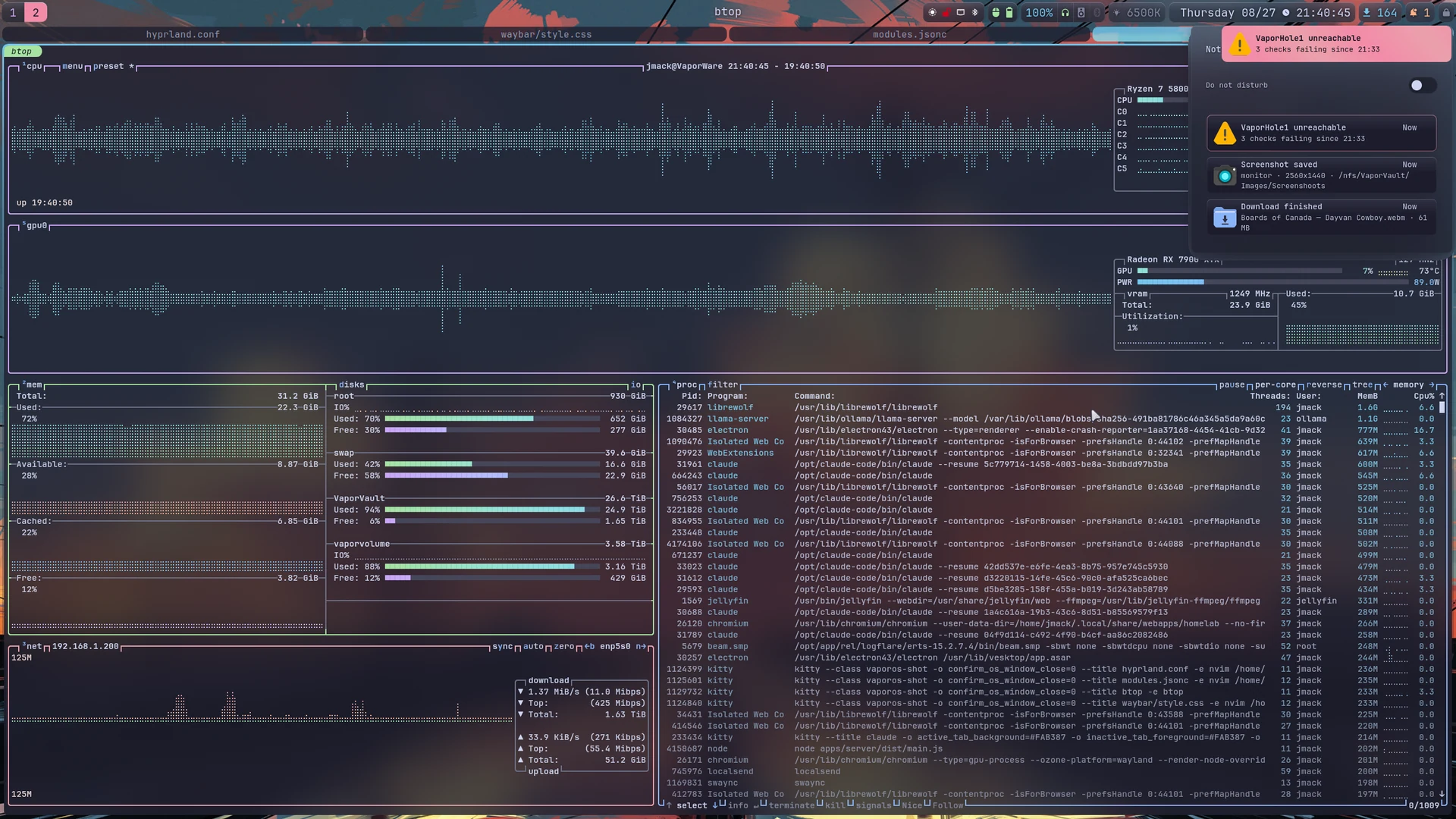
swaync owns org.freedesktop.Notifications and runs as a systemd user unit. Its toasts and sidebar are layer surfaces in the compositor's blur list, so they use the same material as the bar. Each action is wired to what the notification is about: a completed download opens the file, a screenshot opens the screenshot, a failed unit offers its journal.
The walkthrough below redraws the toasts and the control centre at their configured sizes — 520 px cards with a 48 px icon, a 440 px sidebar, 6 px margins — and steps through what the configuration does. The notifications are sample data.
Loading the notifications…
config/swaync/config.json · style.css
The toast
Toasts are 520 px wide with a 48 px icon, drawn on the overlay layer 6 px from the top-right corner, below the bar's exclusive zone. The material is the bar's: a vertical gradient, a 1 px ring, no border.
Urgency tints the rim rather than the fill — red at 55% for critical, green at 30% for low — so the palette carries the state and the material stays constant.
Timeouts
7 s normal, 5 s low, and 0 for critical, which does not expire on its own
Images
image-visibility: when-available, so a screenshot notification uses the shot as its icon
Click
The body activates the notification's default action; the sidebar keeps it afterwards
Restyling swaync means matching the default stylesheet's specificity exactly: a bare .notification selector loses to the shipped .notification-row .notification-background .notification.
dlnotify · vaporshot
Cards that are replaced in place
The download tool has no terminal of its own. One card is created when a job starts and replaced under the same notification id as it runs: a progress bar while the download runs, again while it transcodes, and finally an actionable card with Open folder, Copy path and a Discord-sized re-encode.
A screenshot notification carries the image as its icon, with buttons to reveal the folder or copy the path. A failed unit offers its journal.
Replace id
The helper owns the D-Bus plumbing and the id bookkeeping, so the card never stacks up
Heartbeat
swaync ignores expire_timeout on replacement, so the helper re-sends to keep the card alive
Buttons
A listener process runs the action the button names
Three producers here treat a notification as a surface to act on rather than a message to read; everything else uses the default path.
Inline replies are enabled, so a reply box appears wherever the sender offers one.
The 2FA action is disabled. swaync scans notification bodies for code-like numbers and cannot distinguish a one-time code from a year, so every notification carrying a date grew a COPY "2026" button. The false positives were constant and real codes are rare, so the feature is off rather than filtered.
Inline replies
On
2FA action
Off, with the reason recorded in the configuration
Both settings are per-daemon, not per-application: there is no way to enable the code button for the senders that get it right.
control-center-* · widgets
The sidebar
The bar's bell module toggles the control centre; Escape closes it. It is 440 px wide with 6 px margins, slides in over 180 ms, and carries three widgets: the title row with Clear all, the do-not-disturb switch, and the notification list.
Its height is fit-to-content, which requires two settings together: fit-to-screen: false and vexpand: false on the notifications widget. Without the second, the list fills the window and pins the panel open whatever the height says.
Bell click
Toggle the sidebar
Bell right-click
Do not disturb; new notifications go to the list without popping
Bell middle-click
Clear the list
Emptied, the panel collapses to its title row. The compositor still caps it at monitor height, past which the list scrolls.
quickshell-hypr-daemon · notification-apps.conf
Which workspace lights
A notification from a window on an unfocused workspace lights that workspace's tab in the bar. Resolving which workspace is mostly automatic: the daemon takes the notification's sender-pid hint and walks up /proc until it reaches a process that owns a window.
Exactly one workspace lights per notification even when several windows match, because the bus names an application rather than a window: the daemon takes that application's most recently focused off-screen window.
Fallback map
For senders that pass no pid, or notify from a helper whose ancestry leads nowhere near their window
Ignore list
Senders that should never light a workspace; the notification still arrives, and clicking it still jumps to the window
Clearing
Focusing the workspace
The light is driven by a file the daemon writes, not by the compositor: Hyprland's own urgency flag does not survive the round trip from the notification bus.
config.json · the bus name
Two things the configuration cannot say plainly
swaync parses with json-glib, which rejects // line comments and then falls back to defaults — a configuration that looks correct and does nothing. The notes therefore live in a "//"key whose value is an array of strings.
Only one daemon can own the notification bus name. It is started by D-Bus activation, never from exec-once as well: a second copy fails at every login with An instance is already running.
Comments
A "//" key, kept in the file
Starting it
D-Bus activation only
The vestigial unit
A mako unit is kept deliberately: the ordering of its activation file is what let it take the bus name once
The bell module keeps a working fallback path for that other daemon for the same reason, so it never renders blank whichever one is installed.
Screenshots
Toasts, with their actions attached.The sidebar, opened from the bell module.
kitty — hypr-session restore 4
4 the session
Session restore after an unclean shutdown.
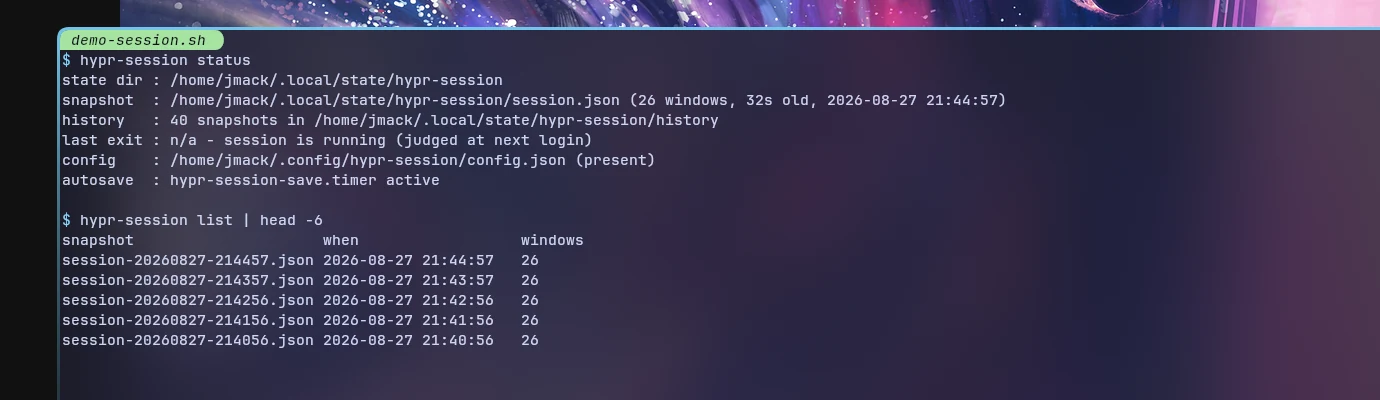
hypr-session snapshots every window — workspace, geometry, group membership and the command line that produced it — on a timer and at shutdown, then re-lays them out at the next login. Windows are matched back by address rather than title or PID.
The walkthrough below takes a snapshot, loses the session, and restores it, then covers how a snapshot is chosen after a crash and what is deliberately left behind.
Loading…
hypr-session-save.timer
A snapshot every 60 seconds
A timer writes a snapshot every 60 seconds, and a shutdown unit writes one more on the way out. Each window contributes its class, workspace, geometry, group membership and the command line that produced it; for a terminal, its working directory and foreground program as well.
Snapshots are written with fsync and replace the file rather than rewriting it in place, so a power cut cannot leave a truncated one. The previous snapshot is kept beside it and the last 40 in a history directory.
save
Every 60 s on a timer, and at logout
show / status
What the current snapshot holds, and whether restore is enabled
list
The history, newest first
A snapshot is cheap to take and expensive to miss, which is why the interval is short and the write is atomic rather than clever.
the clean-exit marker
What an unclean shutdown looks like
The shutdown unit clears a clean-exit marker when the session starts and writes it again only if its final save succeeded. A clean logout therefore ends with the marker present; a crash, an OOM kill or a power cut ends without it.
With the marker present, the last snapshot is restored, including whatever was deliberately closed just before logging out. Without it, the restore looks back over the last 15 minutes.
Marker present
Restore the last snapshot
Marker absent
Compare the last 15 minutes of history
Lost > 40% of windows
Restore the fullest snapshot in that window instead
The failure being guarded against is a snapshot taken while the session was already collapsing, which is worse than one taken a few minutes earlier.
hypr-session restore
Putting the windows back
The compositor runs hypr-session restore --once --if-enabled --delay 6 at login. The delay lets the bar, the notification daemon and the portal come up first.
Terminals return at their old working directory running their old foreground program, wrapped so the shell survives that program exiting. Coding-agent windows return as a resume of their own conversation, matched newest-first so two windows in one directory never resume the same one. GUI applications launch from their desktop entry where there is one, so wrappers still apply.
Matching
By window address, never by title or PID
Placement
Workspace and geometry from the snapshot
--strategy
latest, best or auto
Titles change while a program runs and PIDs are reused, so both are useless as identity; the address is stable for the lifetime of the window.
history/ · attempts
Choosing which snapshot to restore
The history holds the last 40 snapshots. After an unclean shutdown the restore compares the recent ones by how many windows they held, and prefers the fullest in the last 15 minutes over a final snapshot that caught the session mid-collapse.
Attempts against a snapshot are counted. After two unfinished tries that snapshot is skipped, so a restore that keeps killing the session cannot trap it in a loop; the log prints the command to force it by hand.
auto
The default: latest if clean, fullest-recent if not
latest
Always the newest snapshot
best
Always the fullest in the window
The counter is the important part: an automatic restore that cannot be escaped is worse than no automatic restore.
ignore_classes · command_blocklist
What does not come back
Unsaved buffers and scrollback are gone. Window groups are not rebuilt; their members return as separate windows. Browser tabs are the browser’s own business, and the tool only moves those windows back to their workspace by title, leaving alone any window whose title has drifted too far to match.
Everything in ignore_classes is skipped because the compositor already starts it: the bar, the notification daemon, the launcher, the portal and the tray applets.
A snapshot is a list of command lines that will be executed at the next login
The blocklist is a refusal to execute, not a filter on what is saved: the snapshot still records what was running.
Screenshot
Output from a restore run.
theme — catppuccin-mocha 5
5 the theme
Catppuccin Mocha, with compositor blur.
One palette across GTK 3 and 4, Qt 5 and 6, the cursor theme, the icon folders, the terminal and its TUIs, the launcher, the bars, the lock screen and the shell. The glass effect is the compositor’s own blur, applied by layer rule and toggled at runtime.
The walkthrough below shows the palette, what the toolkits look like with and without it, and the three mechanisms that have to agree before anything is frosted.
Loading…
Catppuccin Mocha
One palette, named the same everywhere
The surface tokens and the fourteen accents are the same values in the QML theme singleton, the launcher’s colour file, the notification stylesheet and the compositor configuration, under the same names, so a colour can be traced from one file to the next.
The accent order is not arbitrary either: it is the sequence the bar assigns to workspaces by position, and the same sequence the daemon writes into the compositor’s group bars.
Surfaces
base, mantle, crust, surface0–2
Text
text, subtext1–0, overlay2–0
Accents
Fourteen, in position order
Where a value has a name in the theme singleton, the other files quote that name in a comment rather than repeating the hex alone.
GTK · Qt · TUIs
Every toolkit reads it
GTK 3 and 4, Qt 5 and 6, the terminal, the TUIs, the launcher, the bars, the lock screen and the shell.
GTK uses the Catppuccin Mocha theme with Papirus icons; Qt goes through qt5ct and qt6ct, with dialogs from the desktop portal. The compositor exports GTK_THEME so applications it launches pick the theme up, and QT_QPA_PLATFORM is set to prefer Wayland with X11 as the fallback.
GTK_THEME
Exported by the compositor
QT_QPA_PLATFORMTHEME
qt5ct
QT_QPA_PLATFORM
wayland;xcb
Folder colours are patched to match, and one standalone helper recolours a specific tree; it is not vendored here because nothing else calls it.
decoration:blur · layerrule
Three mechanisms have to agree
Nothing is frosted by itself. The surface has to be translucent, the compositor has to blur what is behind it, and the blur has to be allowed to apply to that surface.
Windows are covered by the compositor’s own blur. Layer-shell surfaces each need an explicit rule: the bar, its relocated copy, the launcher, both notification namespaces and the update panel. ignore_alpha has to sit below the surface’s own alpha, or the blur is skipped as though the surface were opaque.
rounding
8, with a power of 3.0 — a squircle, not a circular arc
blur
size 8, 3 passes
vibrancy
0.22, so the backdrop keeps its colour instead of washing grey
noise
0.02, which is what makes it frosted rather than smeared
The terminal sets its own background opacity so glyphs stay opaque; GTK applications have no equivalent setting, so one is faded whole by a window rule instead.
radii · fonts · cursor
Values that are shared on purpose
A radius of 10 px appears in three unrelated files — the bar pill, the group-bar tab and the dock tiles — and the compositor’s inner gap is reused as the group bar’s own. Where a value is a match rather than a coincidence, the configuration says so in a comment.
The typeface is one Nerd Font cut throughout, in the no-ligature variant: terminal, bar, group bar, GTK and Qt. Emoji fall back to a colour font, and the terminal maps them to half width so they do not break column alignment in TUIs.
Radius
10 px, in three files that reference each other
Font
One cut, everywhere
Cursor
One built theme, declared in four places because four consumers read four different variables
The comments matter more than the values: without them the next person changes one of the three and wonders why the desktop looks subtly wrong.
Screenshots
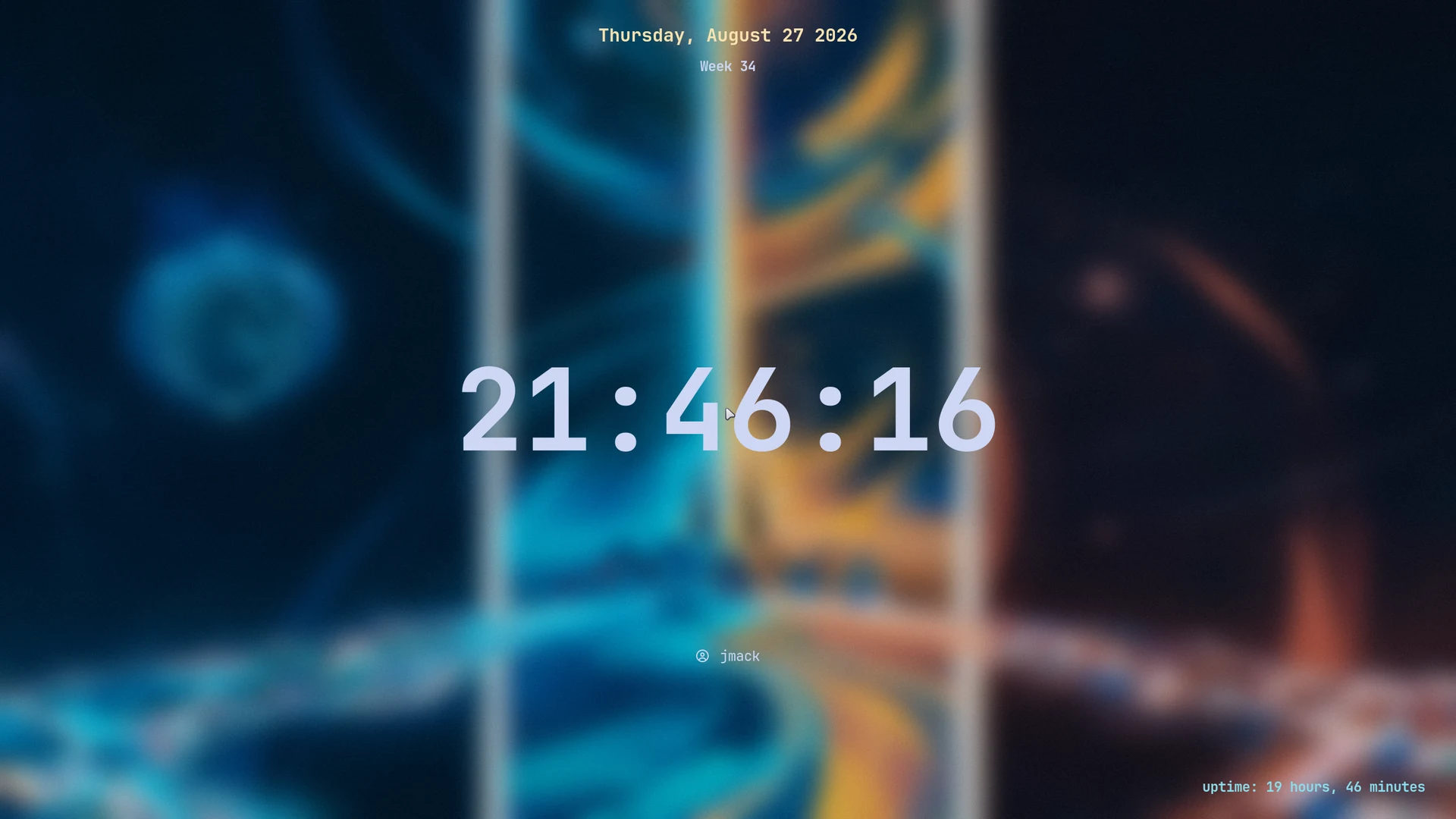
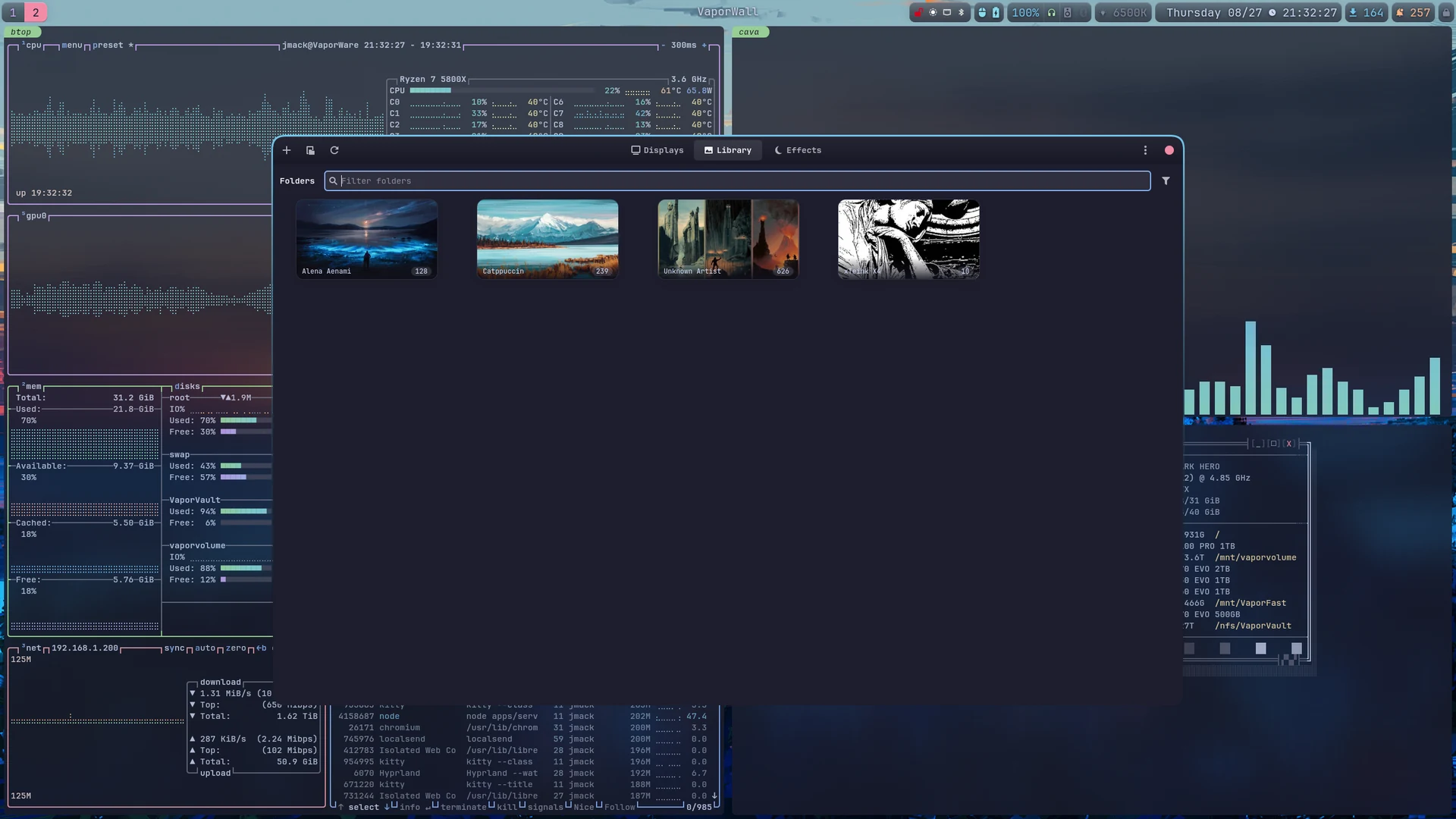
hyprlock, over the wallpaper already on screen.Wallpapers are wpaperd, driven by VaporWall, a separate project not included in this repository.
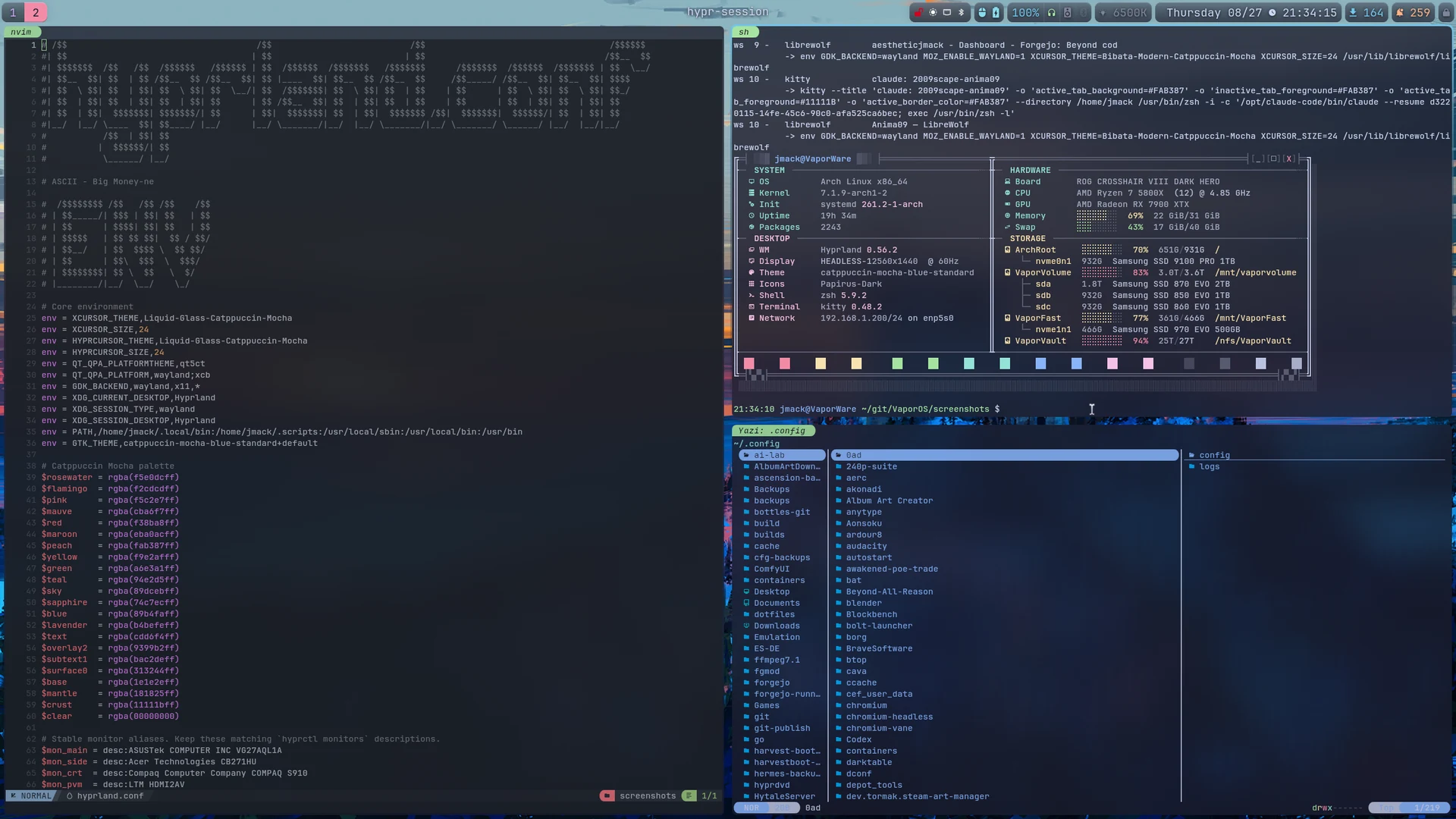
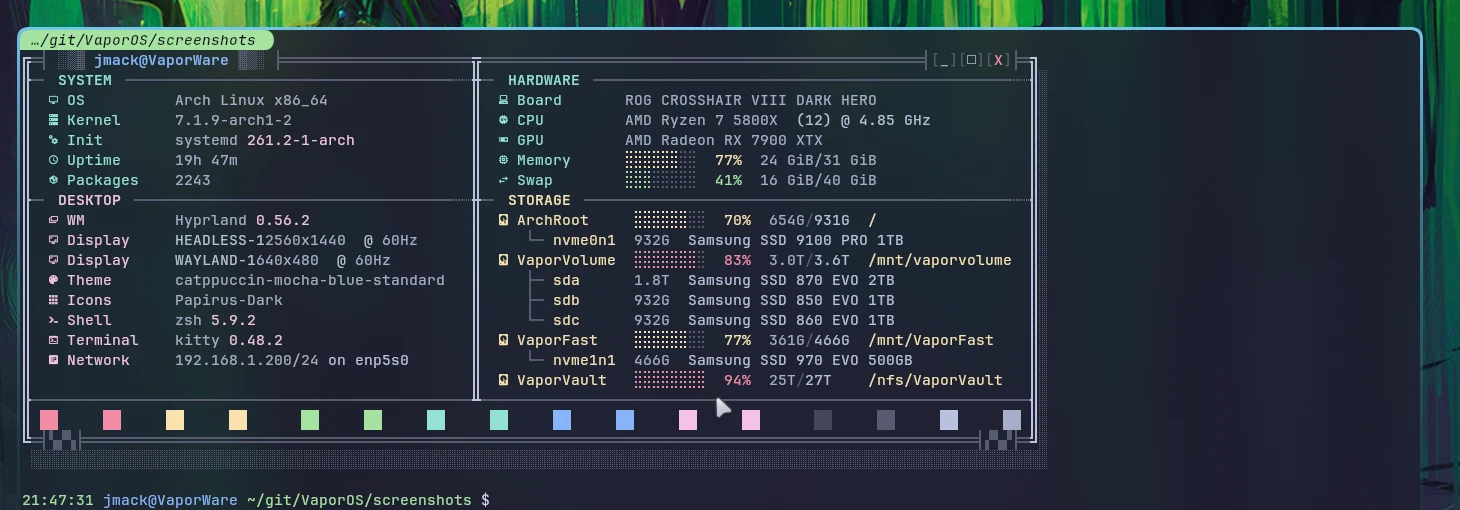
kitty, NvChad and yazi on the same palette.fastfetch cannot draw columns, so the panel is a Python script it calls out to.
kitty — ~/vaporos 6
6 run it yourself
The installer runs as a dry run by default.
It writes into the home directory and nowhere else: no packages, no builds, no units enabled. --apply backs up anything it replaces, substitutes the placeholder home directory and account name the export writes, and then prints the steps it deliberately leaves to you.
Run with no arguments, the installer writes nothing and prints every file it would place, where it would go, and whether it would be new or replace something.
It writes into the home directory and nowhere else. It installs no packages, builds nothing and enables no units.
./install.sh
Dry run
--apply
Write the files
--apply config
One section only: config, scripts, bin or units
Running it as root is refused outright: it writes into $HOME, and the wrong $HOME is a slow mess to undo.
four destinations
Four sections, four destinations
The published tree is laid out as four sections, each with exactly one destination: configuration, scripts, binaries and systemd user units.
Files are placed one at a time, so unrelated files already in a destination are left alone, and a single section can be adopted on its own.
config
→ ~/.config
scripts
→ ~/.scripts
bin
→ ~/.local/bin
units
→ ~/.config/systemd/user
Adopting one part — the bars, or just the launcher — is a supported operation rather than a manual copy, which is the main reason the sections exist.
backups · placeholders
What --apply changes
Anything it replaces is copied into a timestamped backup directory first, so the previous state is recoverable file by file.
Two placeholders are rewritten on the way in: the placeholder home directory becomes yours, and the placeholder account name in the polkit rule becomes yours. Text files are rewritten; binary files are copied through untouched.
Backups
~/.vaporos-backup/<timestamp>/
Rewrites
Placeholder home and account name
Counters
Written, replaced and skipped, printed at the end
The placeholders exist because the real values identify the machine, and are removed by the export; without the rewrite, half the keybinds would point at a directory that does not exist.
packages · build · units
The steps it refuses to take
It finishes by printing what it has deliberately not done: installing the package list, building the Rust daemon, enabling the units, and one optional polkit rule for the power menu.
Each of those is a decision about your machine rather than about the configuration, and each is a one-line command printed in the order it should be run.
Packages
From the published package list
Build
cargo build --release for the state daemon
Units
Enable only the ones you want
polkit
Optional, for a password-free power menu
An installer that enables units is an installer that starts processes on a machine it knows nothing about.
docs/adapting.md
The one thing that cannot adapt
Monitor names are hardcoded, as they are in any Hyprland configuration. The four places that name them are listed in the documentation in the order they will cause problems: the compositor’s monitor block, the bar’s per-output module rules, the second strip’s output, and the wallpaper daemon.
Everything else adapts at runtime or is rewritten by the installer.
Read first
docs/adapting.md
Then
docs/keybinds.md for the full bind list
A single-machine configuration published as-is has exactly one class of value that cannot be derived from the running system, and this is it.
~ git clone https://git.coolhole.net/aestheticjmack/VaporOS.git vaporos~ cd vaporos~/vaporos ./install.sh # dry run: prints every file it would write~/vaporos ./install.sh --apply
Read docs/adapting.md before the first login. Monitor names are hardcoded, as they are in any Hyprland configuration; the four places that reference them are listed there in the order they will cause problems.
nvim — export/allowlist 7
7 how it is published
Export rules: allowlist, scrub, leak gate.
This is an export. The source repository holds one machine’s entire state and is not public; three rules decide what is published, and the last of them fails the build rather than trusting the first two.
Loading…
the export
A file is published only if it is named
The repository this is exported from holds one machine’s entire state — system files, package sets, monitor EDIDs, mount points, and a set of private services — and is not public.
The export copies out only what its allowlist names, so anything new is absent by default. A missing entry costs a feature; the opposite default would cost a disclosure.
Published
Named by the allowlist
Absent
Everything else, including anything added since
Absent-by-default is the only arrangement where forgetting to update the export is a visible bug rather than a silent leak.
placeholders
What cannot be omitted is rewritten
Some values cannot be dropped without breaking the file. A home directory has to be some path, and a polkit rule has to name some account.
Those are rewritten to placeholders on the way out, and the installer substitutes local values on the way in. The rewrites are mechanical and enumerated; no prose is reworded to obscure anything.
Home directory
A placeholder path
Account name
A placeholder user in the polkit rule
Rewriting is limited to values that must exist for a file to work. Anything else that would need rewording is dropped whole instead.
the failing check
The gate fails the build
Every output file is searched for the account name, the domains, the host names, address literals and key material — the categories that turn a configuration into an identification of a machine.
One match deletes the output tree and exits non-zero, so an export that leaks cannot be committed by accident.
Scope
Every file in the built tree, text and metadata
On a match
Delete the output, exit non-zero
On success
The tree is publishable as-is
The gate runs against the built output rather than the source, so it also catches anything a scrub rule failed to rewrite.
paragraphs, not edits
Prose is where configurations leak
Pages describing only that machine are not published at all. Paragraphs naming private infrastructure are removed whole from the pages that are, together with the code examples beneath them, rather than reworded.
The cost is a few code paths that are inert in the export: a module reads a list of self-hosted applications that is not published, finds nothing, and shows no icons. The reader is kept rather than deleted, because removing it would mean rewriting the modules that call it.
Removed
Whole pages, whole paragraphs
Never
Edits inside a paragraph to make it safe
Inert
Documented where it happens
The sentence explaining why a setting exists is usually the sentence that names the machine, which is why the rule is removal rather than rewriting.
Licence
Free software under GNU GPL v3 or later. Third-party assets — the Catppuccin palettes, the bundled btop themes, the Nerd Font glyphs — retain their own licences.